

audio visualizer
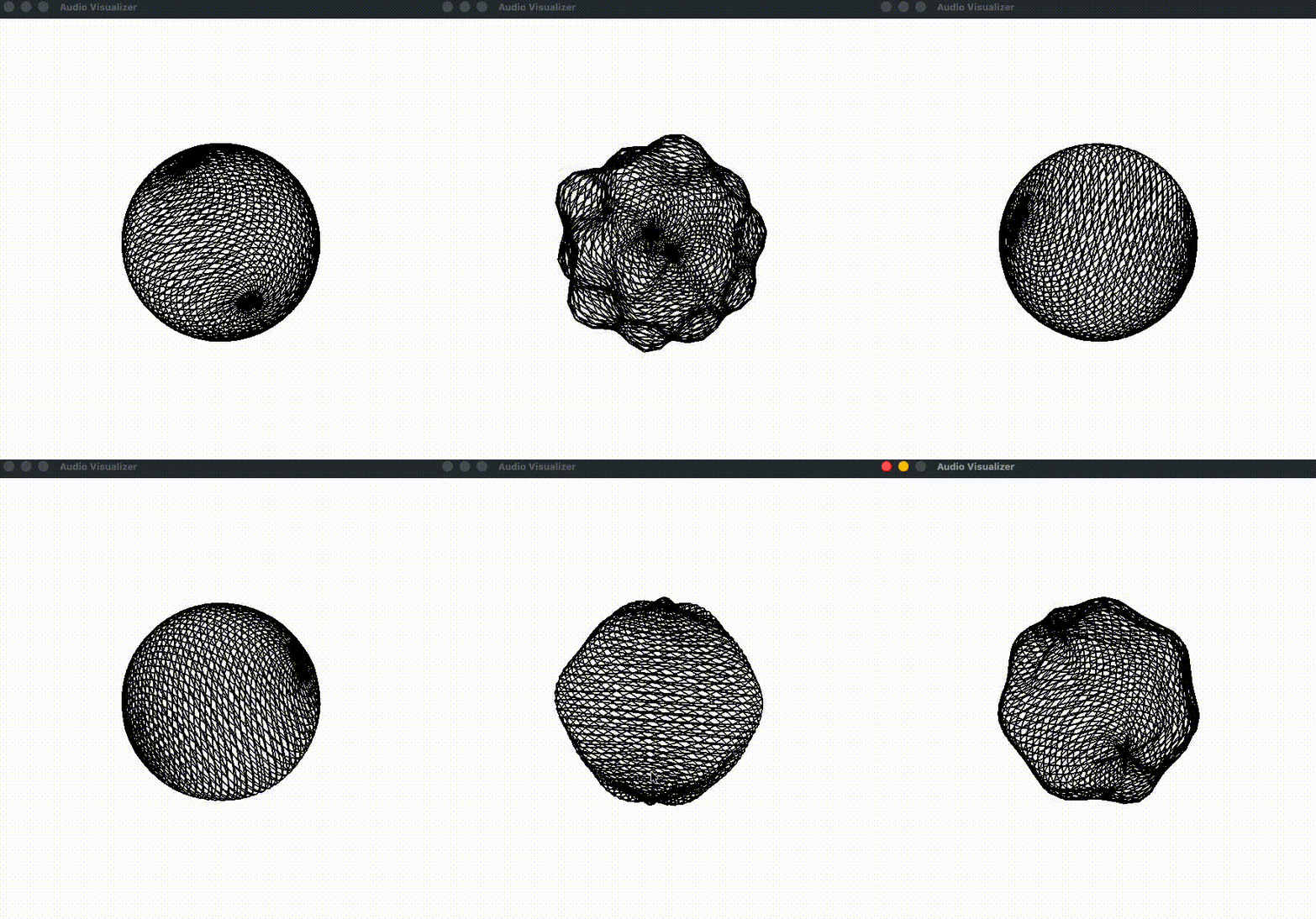
a wireframe sphere that warps to sound, bass pushes one hemisphere out and treble the other.
python · pyopengl · pyaudio · numpy · pygame-ce
active, reworked aug 2026.
A real-time audio visualizer in python and OpenGL, and honestly a project I built just for the fun of it. It draws a slowly rotating wireframe sphere that ripples in response to whatever audio it's hearing, bass frequencies push one hemisphere out, treble drives the other, and a time-based term makes the whole shape "breathe" so it never fully freezes.
why i built it
This one doesn't have a serious technical story behind it, and I kind of like that about it. At the time I was deep into graphics programming, playing with shaders and poking at Vulkan and OpenGL just to understand how things actually get drawn on a screen, and I wanted something real to learn on rather than another tutorial. Pairing that with how much I love music felt obvious, a sphere that reacts to sound was a small, self-contained excuse to get my hands dirty with real-time graphics.
There was a bigger idea lurking behind it too. I originally wanted to grow it into an FL Studio plugin, something I could drop into my own projects and watch react to whatever I was making. That plan fell short and I never finished it, but it's the kind of thing I'd happily come back to someday.
the thinking
Because it was mostly for fun, the choices were more about what made it feel alive
than any grand design. I split the sphere so bass pushes one hemisphere and treble the
other, which reads as a spectrum rather than a plain volume meter, and I added a
silence gate so it holds still in a quiet room instead of twitching on nothing. The
sin(t) breathing term was pure taste, keeping the shape gently moving even on a
sustained note so it never looks frozen or dead.
how it works
Every frame runs the same short pipeline. It reads one 1024-sample chunk from the
chosen input device (PyAudio, 44.1 kHz mono), checks the mean amplitude against the
silence threshold, and, if there's sound, runs np.fft.fft and averages the magnitude
inside the bass and treble bands. Those two magnitudes become deformation scales, each
modulated by an out-of-phase sin(t). The warp step walks every vertex, converts to
spherical coordinates, and nudges the radius by scale · sin(5θ)·cos(5φ), a
standing-wave pattern that gives the lobed, sea-urchin deformation, then converts back.
Finally it rotates the model 0.4° about the (1,1,1) axis and redraws the mesh as
GL_LINES. Depth testing is on, and the camera sits pulled back on a 45° perspective.
capturing system audio
The one real gotcha is that by default it listens to the default input device,
usually the microphone, so out of the box it reacts to room sound, not to what the
computer is playing. To visualize playback you need a loopback device, BlackHole
on macOS, Stereo Mix or VB-CABLE on Windows, or the PulseAudio/PipeWire
monitor source on Linux. The app auto-detects common loopbacks by name and
otherwise falls back to the default input, and you can always pick one explicitly with
python main.py --list-devices then --device N.
run it
The only native dependency is PortAudio (brew install portaudio, or
portaudio19-dev on Debian). From there it's a virtualenv, pip install -r requirements.txt, and python main.py, and esc or closing the window quits. If
the sphere barely reacts, lower the sensitivity divisors at the top of the file, and
if it explodes off-screen, raise them.
what i learned
The satisfying part was how little code it takes to make sound turn into motion, the FFT and two band averages are a handful of lines and everything after is just moving vertices around. The fiddly part was the audio plumbing, the difference between the mic and system audio is invisible until you notice the sphere reacting to your typing instead of your music, so a lot of the polish went into device selection and a hint pointing people at a loopback. It's unfinished in fun ways too, there's a disabled colour mode and only one axis actually warps, and the FL Studio plugin idea is still sitting there if I ever want to pick this back up.